How to search your X bookmarks
X keeps bookmarks as one long list, so finding something saved months ago usually means scrolling. Seashelf syncs that list and makes it searchable, by the words in a post or by what the post was about.
Install the Chrome extensionTry the demo
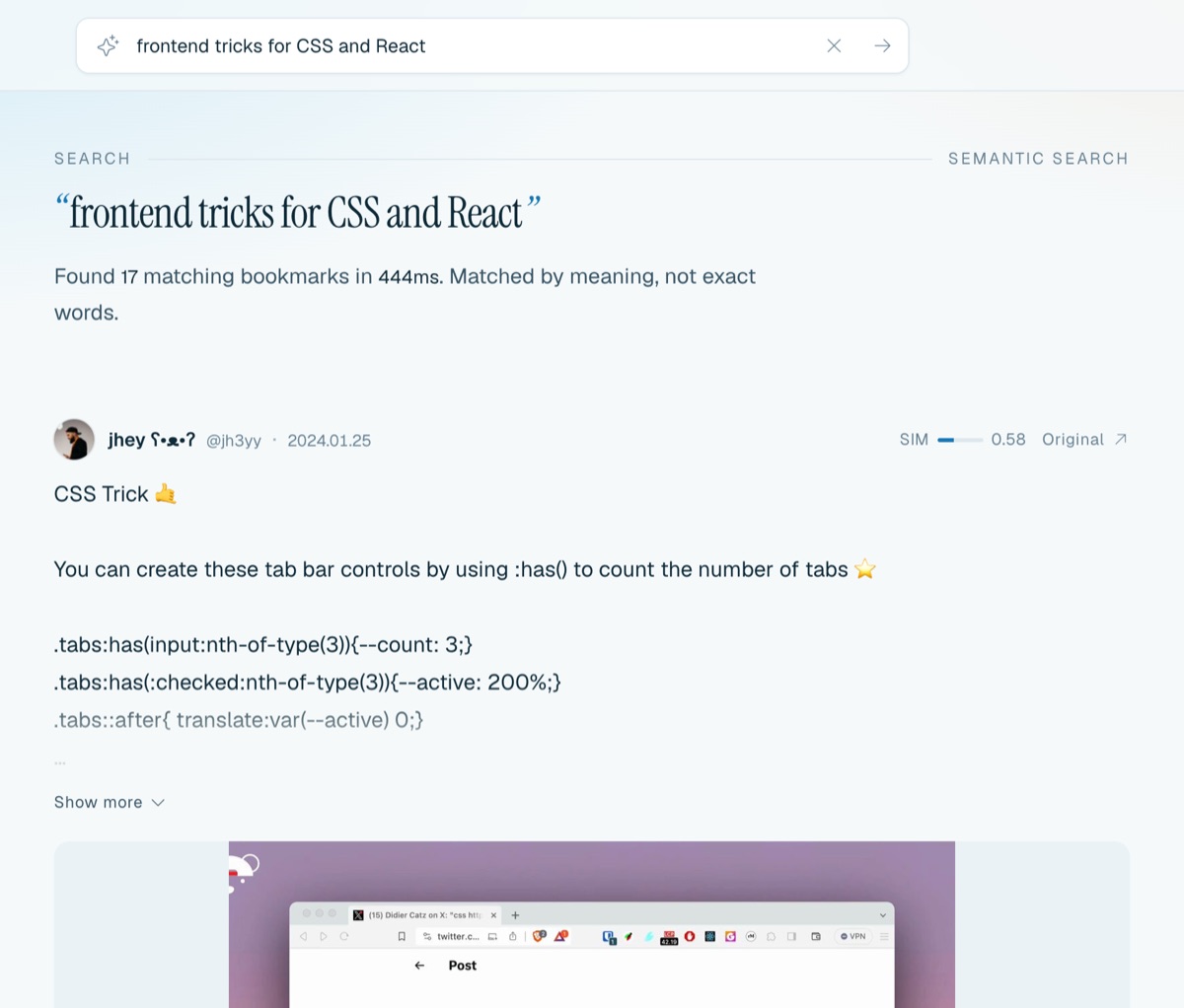
Search by meaning, not just keywords
Most of the time you remember the gist of a post, not its exact wording. Semantic search matches by meaning: “that thread about pricing an indie app” finds posts that never use the word “pricing”.
Keyword search is there too, for names, code and exact phrases. The default hybrid mode combines both.
Narrow it down
Filter by author, by AI category (like “Coding assistants” or “Macroeconomics”), by content type (photos, videos, long-form articles, links, quotes) and by when the post was published. Open any bookmark to see the others closest in meaning.
How to set it up
- Install the Seashelf Chrome extension.
- Sign in at seashelf.app and connect the extension.
- Stay signed in to X in the same browser and click “Sync now” in the extension. On Pro, sync can also run automatically on a schedule.
- Search at seashelf.app.
Questions
Is it free?
The free plan syncs up to 3,000 bookmarks and includes keyword and semantic search. Pro ($5/month or $48/year) removes the limit and adds video backup, AI categories and related bookmarks.
Does the extension post or read my messages?
No. It only reads the bookmarks list. It never posts, likes or reads messages, and your password and cookies stay in your browser.
Which platforms are supported?
X today. More platforms are on the way.
Install the Chrome extensionTry the demo