How to back up your X bookmarks
A bookmark on X is only a pointer. When the author deletes the post or the account disappears, the bookmark goes blank. Seashelf keeps its own copy of everything you save.
Install the Chrome extensionTry the demo
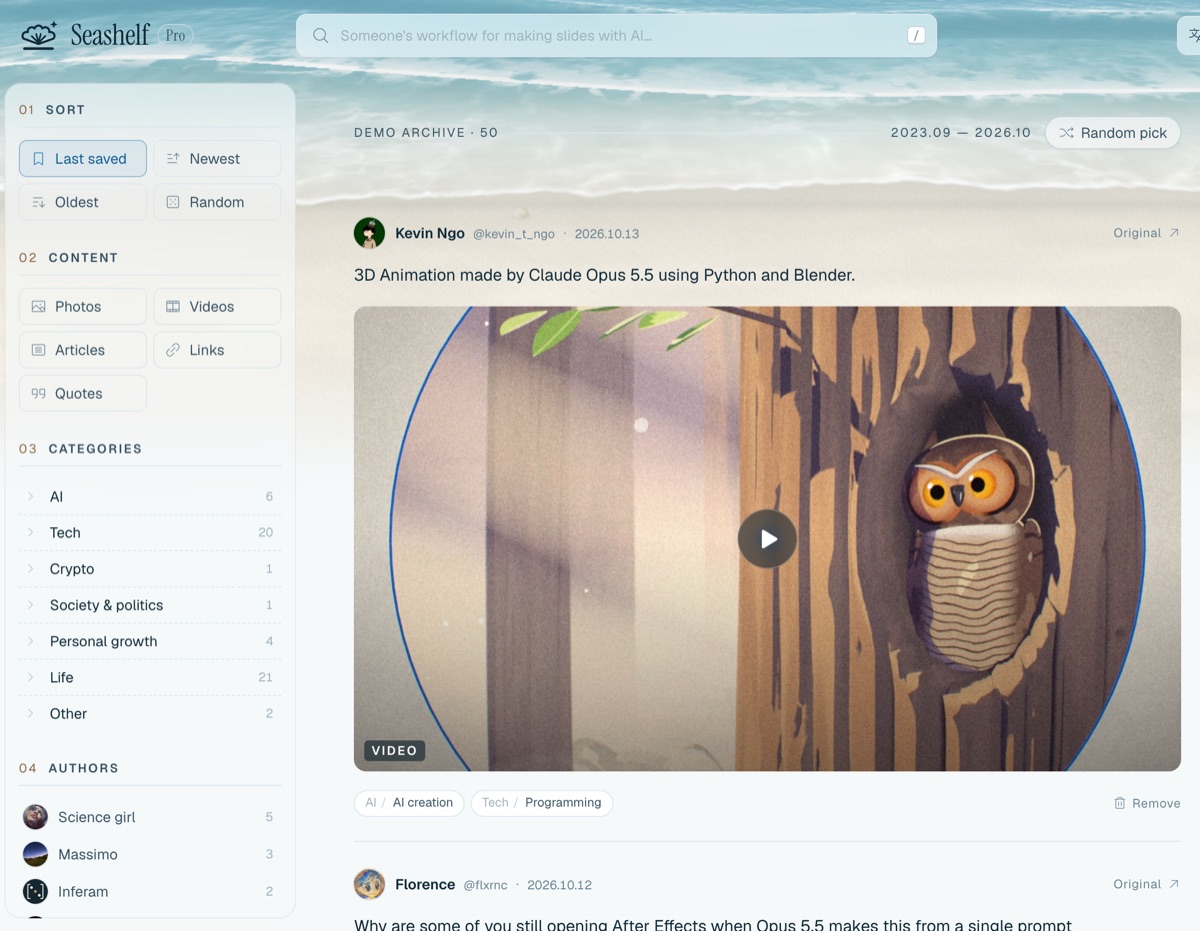
What gets backed up
The text of each post, its images, video covers and (on Pro) the videos themselves. Threads are completed with the author's other parts, quoted posts are saved alongside, and X long-form articles are fetched in full. Link previews are kept as well.
If the original is deleted later, the copy in Seashelf stays as it was.
Stays in sync both ways
Each sync picks up new bookmarks and stops where the last one left off; on Pro it can run automatically on a schedule. Remove a bookmark in Seashelf and the next sync removes it on X too, so the two lists don't drift apart.
How to set it up
- Install the Seashelf Chrome extension.
- Sign in at seashelf.app and connect the extension.
- Stay signed in to X in the same browser and click “Sync now” in the extension. The first sync walks the whole bookmarks list; after that only new bookmarks are fetched.
Questions
Are videos included on the free plan?
The free plan backs up text, images and video covers for up to 3,000 bookmarks. Video files are backed up on Pro.
What happens if I stop paying for Pro?
Everything already synced stays. Beyond 3,000 bookmarks new ones stop syncing, and backed-up videos are locked until you subscribe again.
Is my data private?
Your archive is visible only to you, except single posts you choose to share by link. See the privacy policy for what is collected and how it is used.
Install the Chrome extensionTry the demo